

Instagram Stories are inherently fleeting. They vanish after 24 hours, taking their curated aesthetics, trending background tracks, and memorable voiceovers with them. While Instagram provides a native “Save Story” option for your own posts, it restricts you from downloading content from other creators. Furthermore, it completely lacks a native feature to extract just the audio track.
Whether you are a content creator looking to archive an inspiring clip, a video editor needing high-quality Instagram video download MP4 capabilities, or someone searching for an Instagram story audio downloader to extract a rare background track as an MP3, this comprehensive guide covers everything.
Below is an engineering-level breakdown of how to extract both MP4 (video) and MP3 (audio) from Instagram Stories across desktop and mobile devices without sacrificing quality.
Direct Quick-Reference Summary
To secure a piece of content before it expires, follow these immediate structural pathways depending on your target format.
Target Format Checklist
-
For Video (MP4): Use a web-based extraction tool (e.g., SaveFrom, VidsSave, SnapInsta). Paste the Story link, select the original resolution (720p or 1080p), and execute an Instagram story video download.
-
For Audio (MP3): Use an audio-extracting utility (e.g., ReelSaveApp, AudioDropper, or desktop software like NoteBurner). Alternatively, download the MP4 first and process it through an encoder like FFmpeg or a local converter app.
-
For Bulk/Batch Archiving: Utilize a dedicated desktop program (e.g., Wondershare UniConverter) or browser extensions (e.g., Instagram Downloader Pro) to bypass the friction of sequential link pasting.
Step-by-Step: How to Download Instagram Stories to MP4 (Video)
To execute a high-fidelity Instagram story download with audio included in a standard MP4 wrapper, web-based tools offer the fastest, software-free method.
The Standard Web-Extraction Method
Open Instagram on your device. Navigate to the specific Story you wish to archive. Tap the Share/Paper Airplane icon and select Copy Link. Note: The account must be public; secure servers cannot scrape private profiles without authenticated browser tokens.
Open your web browser and navigate to a reputable online service such as VidsSave, SnapInsta, or InstaSaver. Avoid platforms requiring intrusive software downloads or administrative permissions.
Paste the copied URL directly into the input container field on the downloader homepage. Click the Download or Fetch button. The remote server will query Instagram’s public API endpoints to parse the raw CDN link hidden behind the interface.
Once processing completes, a visual thumbnail preview of the Story will render. Click Download Video or select the highest resolution provided (typically 1080p MP4 at H.264 encoding). The file will commit directly to your local storage directory.
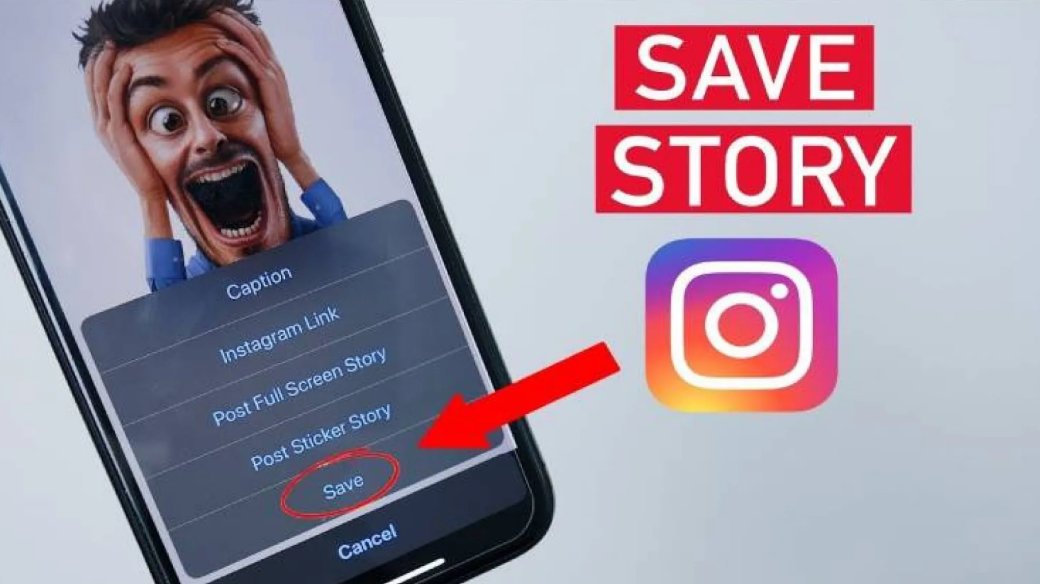
Step-by-Step: How to Convert Instagram Stories to MP3 (Audio)
If your primary objective is to isolate a trending song, viral monologue, or sound effect, you need an Instagram to MP3 download methodology. This bypasses the video stream entirely, dropping file sizes by roughly 85%.
Method A: Direct Link Extraction (Fastest)
Online tools like ReelSave.app or AudioDropper read the source data and strip out the video container server-side.
-
Copy the Story Link: Grab the URL via the share button on Instagram.
-
Inject Link into Audio Downloader: Navigate to a specialized Instagram story audio downloader interface.
-
Trigger Audio Conversion: Paste the link and press Extract Audio.
-
Download the MP3: Select your bit rate. Higher bit rates deliver superior fidelity:
Audio Quality Standard: Always opt for 320kbps MP3 formatting when available. If the platform caps optimization at 128kbps, expect minor compression artifacts in high-frequency ranges.
Method B: The Local Extraction Method (Safest for Privacy)
If you prefer not to paste links into third-party conversion websites, download the raw MP4 video using the instructions in the section above, then execute a localized conversion.
-
On Windows/macOS: Open the video file inside a media player like VLC. Go to Media > Convert/Save, add your downloaded MP4, choose Audio – MP3 as the profile destination, and hit start.
-
On iOS/Android: Utilize a native tool like Video to MP3 Converter (InShot) or the iOS Shortcuts app to strip the AAC/MP3 track out of the source file instantly without reloading the browser.
Comprehensive Tool Comparison Matrix
Choosing the correct ecosystem prevents unnecessary exposure to malware and saves significant workflow time. This table breaks down performance across the leading utilities.
| Platform Type | Featured Tool | Primary Output Formats | Max Audio Bitrate | Account Login Required? | Best Used For |
| Web Browser Tool | ReelSave / VidsSave | MP4, MP3 | 128 kbps | No | Rapid, single-file downloads on mobile or desktop. |
| Desktop Software | NoteBurner Video One | MP4, MKV, MP3 | 320 kbps | Yes (for batching) | Content managers performing structural backups or archiving multiple profiles. |
| Browser Extension | Instagram Downloader Pro | MP4, JPEG | Native Container | No | One-click downloads while actively scrolling. |
| Mobile Application | Video Downloader (Wuma) | MP4 | Native Container | No (Public profiles) | Direct, system-level saving to Android/iOS galleries. |
Deep-Dive Technical Mechanics: How Extraction Works
Behind the simple user interfaces of these tools lies a structured data retrieval process. When an Instagram story video download is initialized, the server goes through several steps to bypass the standard user interface layer.
[Target Story Link] ➔ [Downloader Tool Server] ➔ [Scrapes Public Instagram API]
                                                           │
                                                           ▼
[Local Device Storage] 🗂️ [MP3/MP4 File Splitting] ◀ [Raw Media CDN URL Identified]
-
API Interception: The downloader acts as an unauthenticated user agent, reading the page’s metadata header code.
-
JSON Parsing: It looks for specific media tags containing direct links to Instagram’s underlying content delivery network (CDN) host servers.
-
Container Stripping: For standard saving, it sends the raw
.mp4file down to your device. For an insta download MP3 request, a server-side engine (like FFmpeg) isolates the audio track, discards the visual frames, and repackages the sound into a.mp3file format.
Crucial Copyright and Ethical Considerations
While executing an Instagram story video download for offline consumption, creative design reference, or personal study falls within safe-use boundaries, unauthorized distribution can lead to issues.
-
Intellectual Property Protection: Downloading original musical elements, voice acting clips, or personal video files does not grant commercial usage rights.
-
Watermarks and Attribution: If you repurpose components of an extracted Story for editorial or remix use, maintain the integrity of the original creator by explicitly tagging their handle.
-
Private Profiles: Attempting to force an Instagram story download with audio from private configurations using unauthorized scraping scripts compromises platform privacy standards and can lead to IP address bans.
Troubleshooting Common Download Failures
1. “URL Not Found / Invalid Link” Error
This occurs if the 24-hour availability window of the target Instagram Story expires mid-transfer, or if the account owner changes their profile privacy to restricted during your workflow. Always verify that the Story is still actively visible on the platform.
2. Audio is Missing or Muted in the Saved MP4 File
Instagram automatically mutes certain video tracks if they feature copyrighted music tracks in regional territories. If your Instagram video download MP4 lacks sound, download the file using an alternative desktop utility that records the audio driver output directly in real time (e.g., Macsome Music One).
3. Infinite Loading / Server Timeout Loop
High-traffic online download tools face periodic server slowdowns or domain blocks from social networks. If a web browser tool hangs endlessly during parsing, clear your browser cache or switch your network interface to a different node using a secure VPN connection to reset your transfer routing.